How to Cut a Song for TikTok and Reels
By Free Audio Editor · · How we test
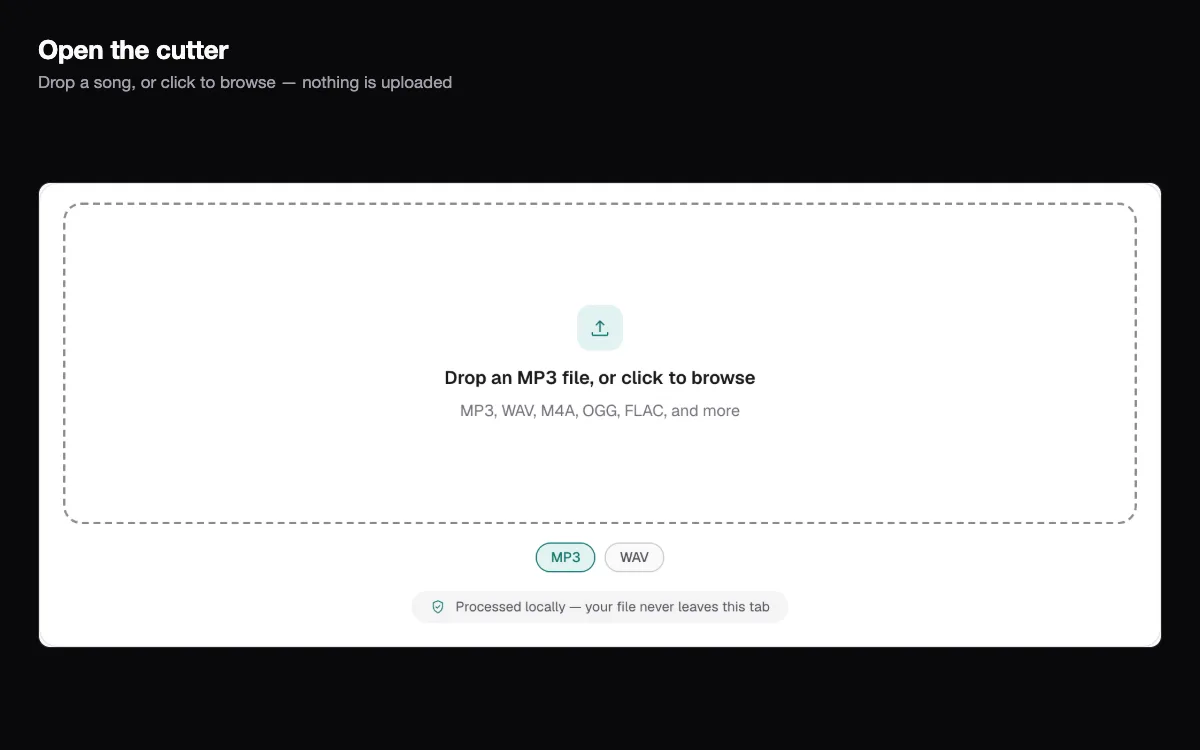
A video edit needs a short, clean piece of a song: the hook, the drop, the eight bars that carry the post. The full track is the wrong file, and the platform’s built-in trimmer only moves the start point. You want to choose both ends and export just that span. On the MP3 cutter that is a two-minute job, and the song is not uploaded to a server before it reaches the video.
Decide the length before you cut
TikTok and Reels change their upload limits, and the limit is not the target. The target is the edit: a 15-second clip, a 30-second cut, a 60-second voiceover bed. Pick the length the post needs, then make the audio match it.
- 15 seconds fits a single visual beat or a punchline.
- 30 seconds is the common short-form length.
- 60 seconds leaves room for a short story or a tutorial step.
If the post is longer, repeat the section with the audio looper instead of exporting a long file. The platform repeats short audio more cleanly than a three-minute excerpt with dead air at the end.
Pick the part that works without the intro
The first frame is the hook. A song’s intro (the fade-in, the count-in, the first verse) usually costs you the one second that decides whether someone keeps watching.
- Open the MP3 cutter and drop the song.
- Drag across the waveform from the first downbeat you want. Leave a tenth of a second before it, so the clip does not start on a click.
- Press play. The preview plays only the highlighted region, not the whole song.
- Adjust with Precise times if a finger or a mouse is not exact enough.
- Choose Keep selection and export.
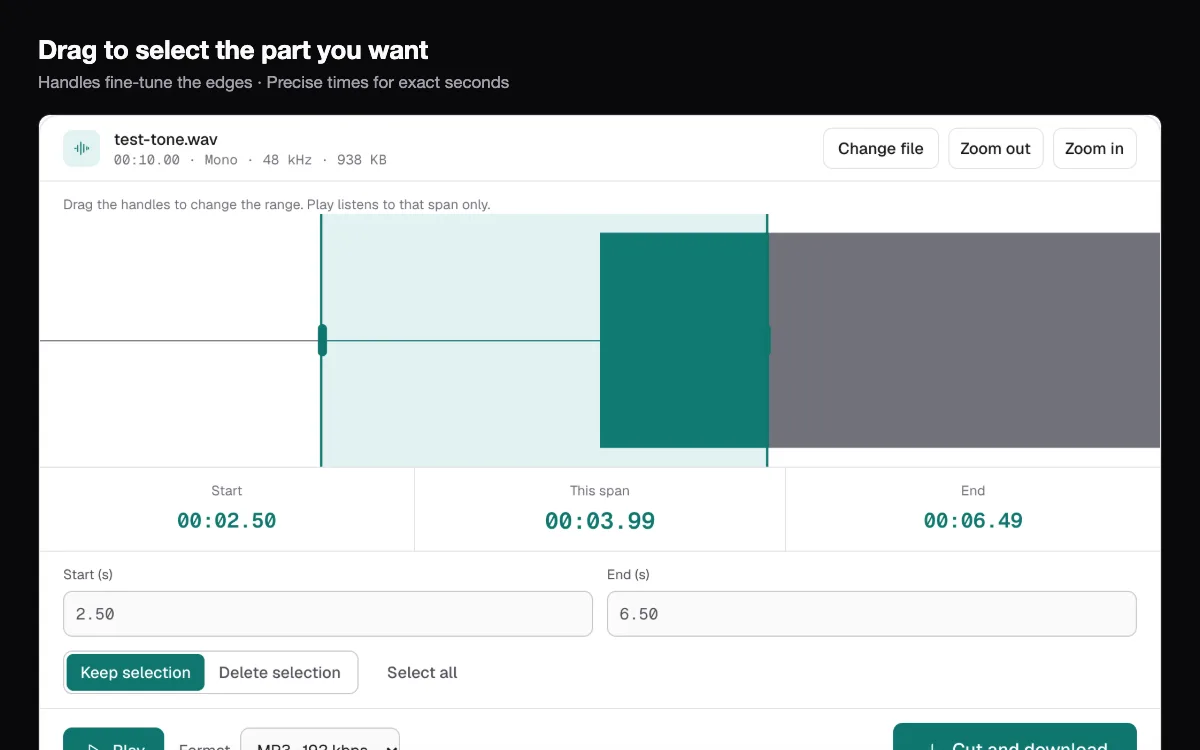
Delete selection is the other mode. It keeps everything outside the highlight, useful for removing a verse from the middle of a longer edit. For a TikTok or Reel, Keep selection is almost always the one you want.
Export the file the editor can open
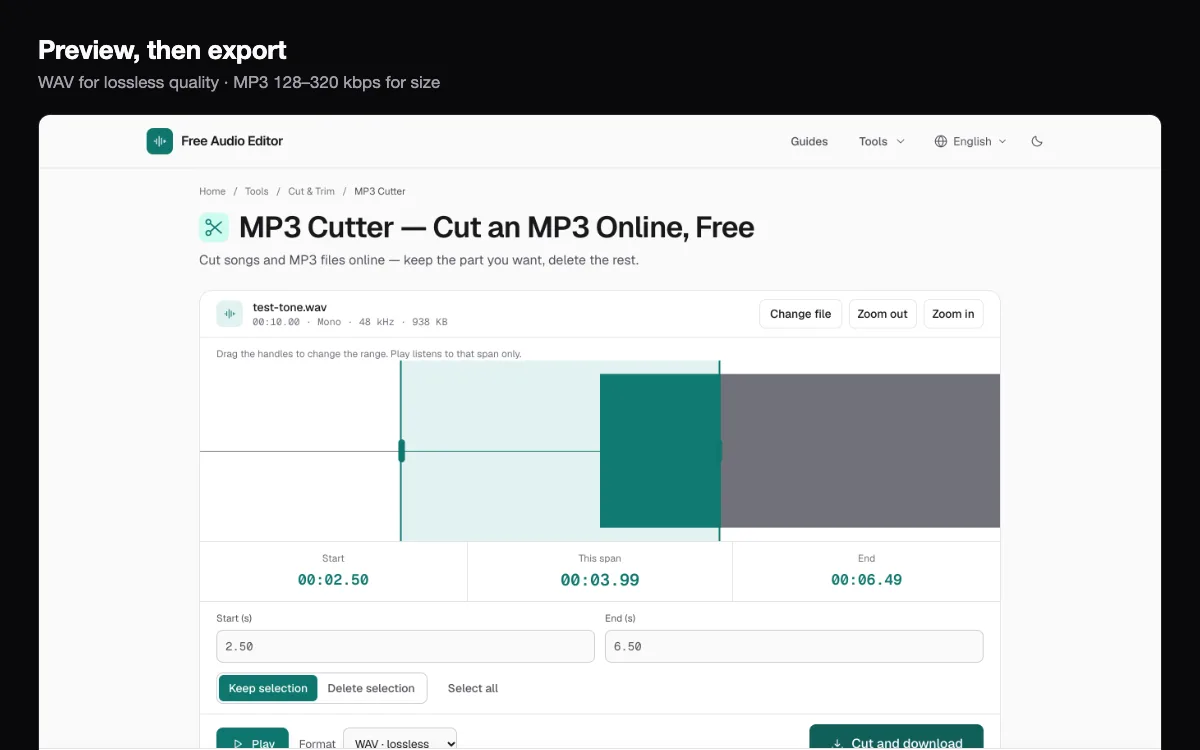
MP3 is the safe choice. Every phone editor and every desktop editor imports it. Use 192 kbps for a phone edit. Use 320 kbps if the clip will be the main audio and the song is dense; a busy mix is less forgiving than a voice.
Export WAV when the next step is a desktop editor that will process the audio again. WAV keeps the samples you selected; MP3 encodes once. For a 15-second clip the file size difference does not matter, but the extra encode does if you plan to apply more effects.
The downloaded file keeps the name of the source song. Rename it to the part
(song-hook-30s.mp3) before you import it, or you will be hunting through
five files called audio.mp3 later.
Put the audio into the video
The platforms do not accept an audio file as a post by itself. The cut track becomes part of a video in one of three ways:
- In the app: import the clip as a sound or use it as the audio track in the editor, depending on what the current version offers.
- In a desktop editor: drop the MP3 on the timeline and cut the picture to the beat you kept.
- In a separate video editor: use the clip as a bed under a voiceover.
If you are editing on a phone, the MP3 lands in Files on iPhone or Downloads on Android. Both the TikTok and Instagram editors can read from there.
Mistakes that make the cut sound wrong
Cutting on a beat but losing the downbeat. A cut that lands a fraction before the kick sounds like a stumble. Move the start a few milliseconds later until the first beat is whole.
Starting at full volume. A hard start on a loud chorus clicks. Set a fade of 0.1 seconds in Adjust if the cut begins mid-phrase.
Exporting a long tail. The last cymbal rings for two seconds. If the video ends before that, the tail is wasted file and an awkward loop point. End the selection where the picture ends.
Cutting a song you do not have the right to use. A personal edit is one thing; a commercial post is another. Platforms mute or remove tracks that rights holders claim. The tool changes the length, not the licence.
When this is the wrong page
The audio trimmer is the better fit for a voice memo, interview or podcast: it is built around one recording, not a song. The ringtone maker caps the selection at 40 seconds and exports M4R for iPhone.
If you need several short clips from one track, cut and export them one at a time. The cutter writes one file per export. To join the pieces back into a longer edit, use the audio joiner.
For the wider version of this job (removing an intro, keeping a chorus, exporting once), read how to cut a song.
Sources
More hands-on walkthroughs in all guides.