GarageBand Alternative: What a Browser Replaces
By Free Audio Editor · · How we test
GarageBand is Apple’s own DAW: free on Mac and iOS, and a genuinely good tool. Most people searching for a GarageBand alternative are really hitting one of two problems. Either GarageBand does not exist on their machine at all, because it is Mac and iOS only, or it exists and it is the wrong weight for the job: a two-minute cut that does not need a project, a track list, or an export dialog. The first problem has no honest full replacement in a browser. The second has one for most jobs. The MP3 editor is the general case, and this page maps which job goes where.
What GarageBand does that a browser page will not
Start with what you give up, because a comparison that hides this is an ad.
- Projects. GarageBand saves a session you reopen tomorrow: tracks, takes, automation, edits. A browser tab holds files in memory and forgets everything when it closes. That is the privacy property, and it is also the ceiling.
- Real multitrack recording. GarageBand records several inputs with takes and punch-ins. The browser records one microphone at a time (voice recorder) and stacks files you already have (multi-track editor, up to eight), which is not the same instrument.
- Instruments and plugins. Software instruments, guitar amps, third-party Audio Units. A browser page runs a fixed list of effects and says so.
If your job is a band demo with six mics, that settles it: use GarageBand (or whatever DAW you know). Audacity covers the same ground on Windows, and the full comparison is already written.
What the browser does better
The other column of the table is most of what people actually do in a week.
| GarageBand | Browser pages | |
|---|---|---|
| Install | Full app, Apple hardware required | None; any current browser |
| Time to a finished file | New project, import, share, export | Drop, adjust, export |
| Files it touches | Imported into a project | Read where they sit, never uploaded |
| Reopening tomorrow | Yes | No; the tab is the session |
| Platforms | Mac, iPhone, iPad | Windows, Android, Mac, Linux, ChromeOS |
The privacy line is not marketing: an upload-based editor takes the file onto a server, and GarageBand keeps it local. So do the browser pages here. Nothing is uploaded, and nothing is stored, which is why the session dies with the tab.
Job by job
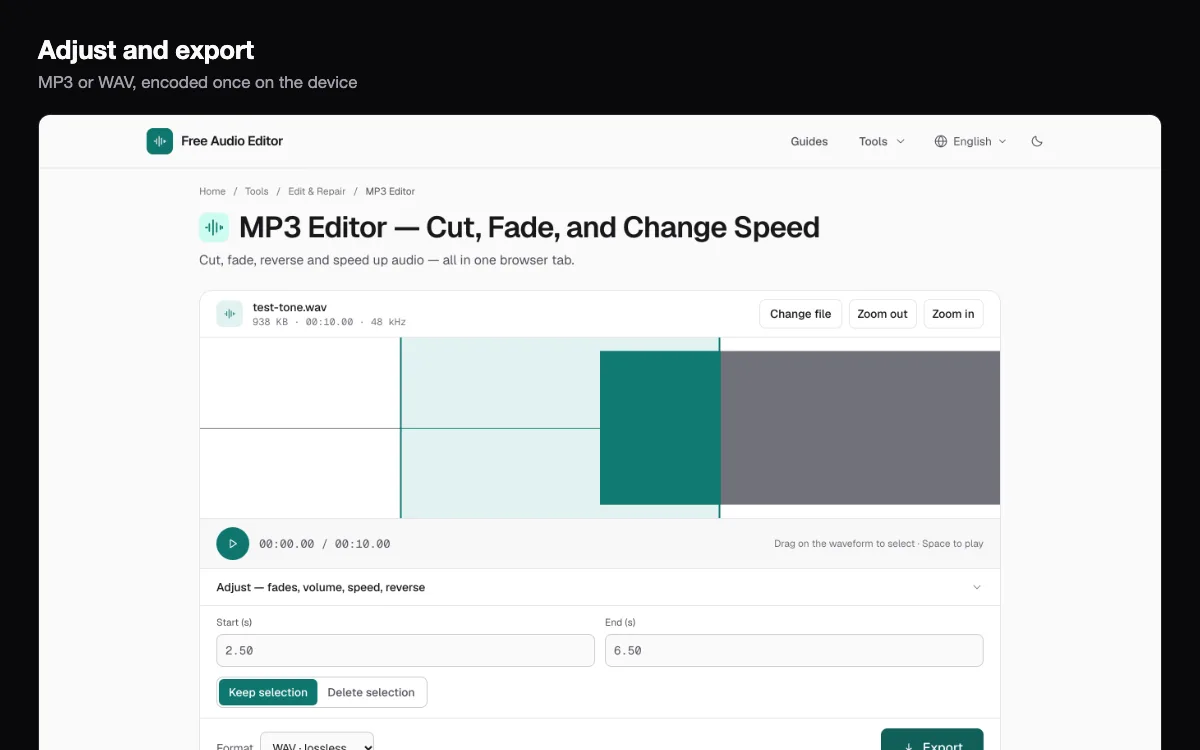
- Cut the chorus out of a song: the MP3 cutter, with keep-or-delete modes. A walkthrough is in how to cut a song.
- Trim a voice memo or interview: the audio trimmer.
- Make an iPhone ringtone: GarageBand is the usual advice, and it is the
long way. The ringtone maker exports
.m4rdirectly, with the 40-second cap built in. - Change the key of a track to sing along: the pitch changer, which keeps the length.
- Slow a track down, nightcore or lo-fi: the slowed reverb maker.
- Convert a WAV or M4A so a player accepts it: WAV to MP3 and M4A to MP3.
- Stack a vocal file on a beat you already have: the multi-track editor, up to eight files, one export.
Two readers, two answers
A podcaster on Windows. GarageBand is not an option, and the download sites claiming to run it in a browser are not made by Apple; check where the file goes before you hand one your tape. The browser route records the take in the voice recorder, trims it with the audio trimmer, and checks the level against podcast loudness before export. Ten minutes of setup, nothing to install, and the tape stays local.
An Apple user deciding whether to open GarageBand at all. Ask one question: does this job have a reopen date? A ringtone, a chorus cut, a key change, or a conversion is a finished-file job, and the browser pages do it in the time the project dialog takes to load. The moment the answer involves takes, punch-ins, or automation, open GarageBand and skip the detour.
The honest verdict
For a project with tracks, takes, and a reopen date, GarageBand has no browser replacement, and the pages here will not pretend otherwise. For the single-file jobs that fill the rest of the week, the browser is faster to a finished file: no install, no project, and the file never leaves the machine. Start there when you can describe the output in one sentence; open GarageBand when you start describing a timeline. The same rule, with Audacity in the dock, is in the Audacity alternative page.
Sources
More hands-on walkthroughs in all guides.