What Is Crossfade? How Long a Blend Should Be
By Free Audio Editor · · How we test
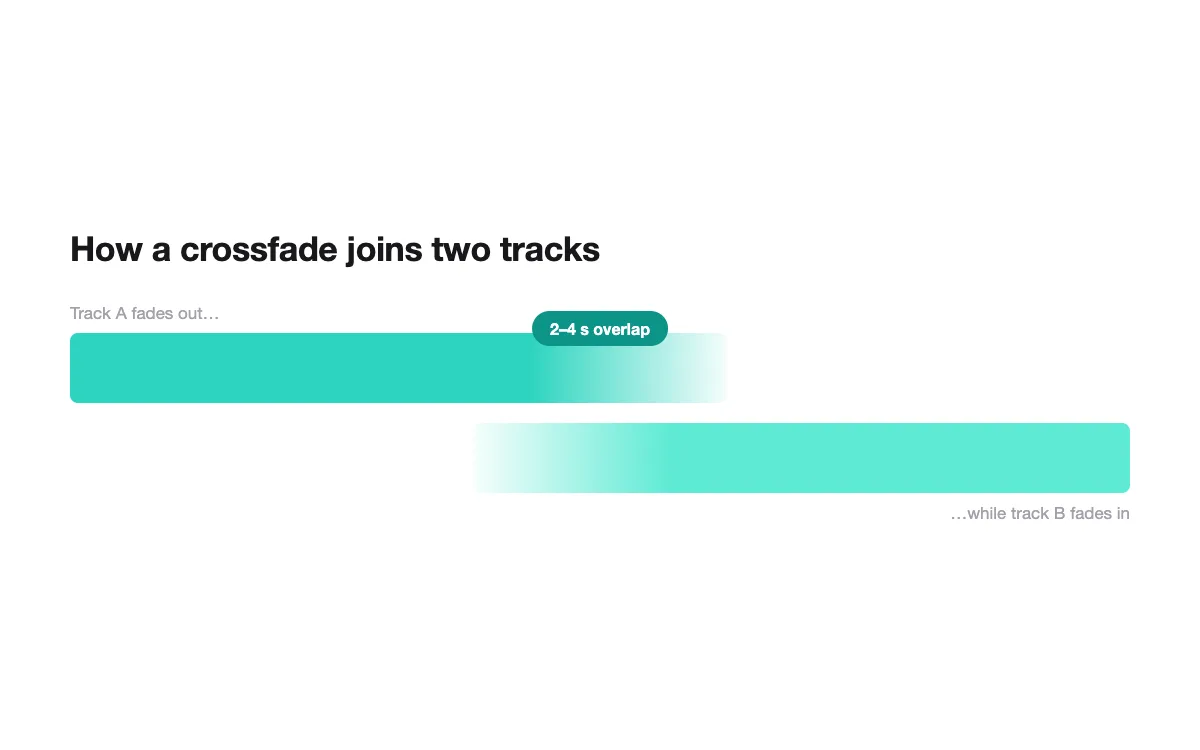
A crossfade is an overlap: the end of one track turns down while the start of the next turns up, so no silence and no click sits between them. Instead of track A ending and track B beginning, the two share a short span of time. The audio joiner puts one between any two files it merges, and this page is about choosing the length on purpose.
The two fades doing the work
Crossfade is two ordinary fades applied at once. The outgoing track fades out across the overlap, the incoming track fades in across the same span, and the levels cross in the middle, which is where the name comes from. That is also the exact difference from a plain fade: a fade rides one edge of one file to or from silence. Fading out a single song is the one-file version. A crossfade rides two files into each other. The fade tool shapes the start and end of a single clip, and no fade between two separate files can ever join them.
How long the overlap should be
The length decides the character, and different material wants different numbers:
- 0 seconds, a hard cut. Track B starts the instant track A ends. For podcast chapters and archives, where each part should begin cleanly, this is the right setting, not a failure to add a crossfade.
- 0.01 to 0.1 seconds. Long enough to kill a click at the seam, too short to hear as an effect. This is the join the audio looper uses when a clip repeats.
- 2 to 4 seconds. The DJ-style blend, where one track dissolves into the next. Tracks that share a tempo and key sound continuous here; rhythmic material past 5 seconds starts to smear as two downbeats overlap.
- Ambient material: pads and room tone can take long overlaps of 5 to 10 seconds, where the seam becomes a place instead of an event.
The math is worth keeping: at a 3-second crossfade, each track spends 3 seconds inside the other. Songs with intros survive that; songs that start on a downbeat do not.
When a hard cut beats a crossfade
Crossfades blur information, and some boundaries should stay sharp. Chapter splits in an audiobook sound wrong with words smearing across the seam. A compilation of complete songs often plays better with hard cuts between full stops. And a join between two sides of a deleted pause is a repair, not a transition: if the two edges do not musically connect, a long crossfade just smears the wound. Fade the edges against clicks and leave the cut hard.
Baked in, or played live
There are two places a crossfade can exist, and they behave differently. Music player apps crossfade live, at playback: the gapless setting blends tracks on the fly, nothing changes on disk, and the next play can use a different length. A rendered crossfade is baked into the file at merge time, which is what the joiner does; it survives every player, every USB stick, and every car, because the overlap is simply part of the audio.
The baked kind is the one that travels. A crossfade that only exists in a player’s settings disappears the moment the file leaves that player, which is why a merged file with the overlap rendered in is the dependable delivery.
Build one
- Drop two or more files on the audio joiner and set the order.
- Set the crossfade: 0 for chapters, 2 to 4 seconds for music blends.
- Export MP3 or WAV. The overlap is rendered into the file; nothing plays from two places at once afterwards.
A crossfade lives in the merged file once it is exported. To repeat one short clip with a crossfade at every join instead of blending two different tracks, the audio looper is the page for that.
Sources
More hands-on walkthroughs in all guides.