Best Free Online Audio Editing Software: How to Choose
By Free Audio Editor · · How we test
The best free audio editing software is the one that matches the shape of the job. A single file that needs a cut, a fade, and a louder export is fastest in a browser tool — no install, no account, done in ten minutes. A project you will reopen tomorrow, with several tracks and plugins, needs a desktop app. Most “best audio editor” lists blur this, because a ranked list of brands cannot know what you are trying to do.
One disclosure first: this site runs a free online editor, so we have a stake in the answer. The decision rules below are written the way we would explain them to a friend — including the cases where we would say don’t use ours.
What “free” and “online” actually mean
“Free online audio editor” covers tools with very different mechanics. The differences decide more than any feature list:
- Browser tools that process in your tab. The file is decoded in your own browser memory and never leaves the device. Usually no account, no watermark, and no queue — the cost of running them is close to zero, which is why they can stay free.
- Upload tools. The file is sent to a server, processed there, and sent back. This is how anything with heavy AI processing typically works. Watch what the page says about retention, accounts, and export caps.
- Free tiers of paid suites. Free to try, with limits that surface at export: watermarks, length caps, or a paid plan for the format you need.
- Free desktop apps. Install once, work offline, keep project files. Audacity is the standard free one — its site states it “has always been and will always remain free for everyone,” with the source code open for anyone to view or modify.
Choose by the job
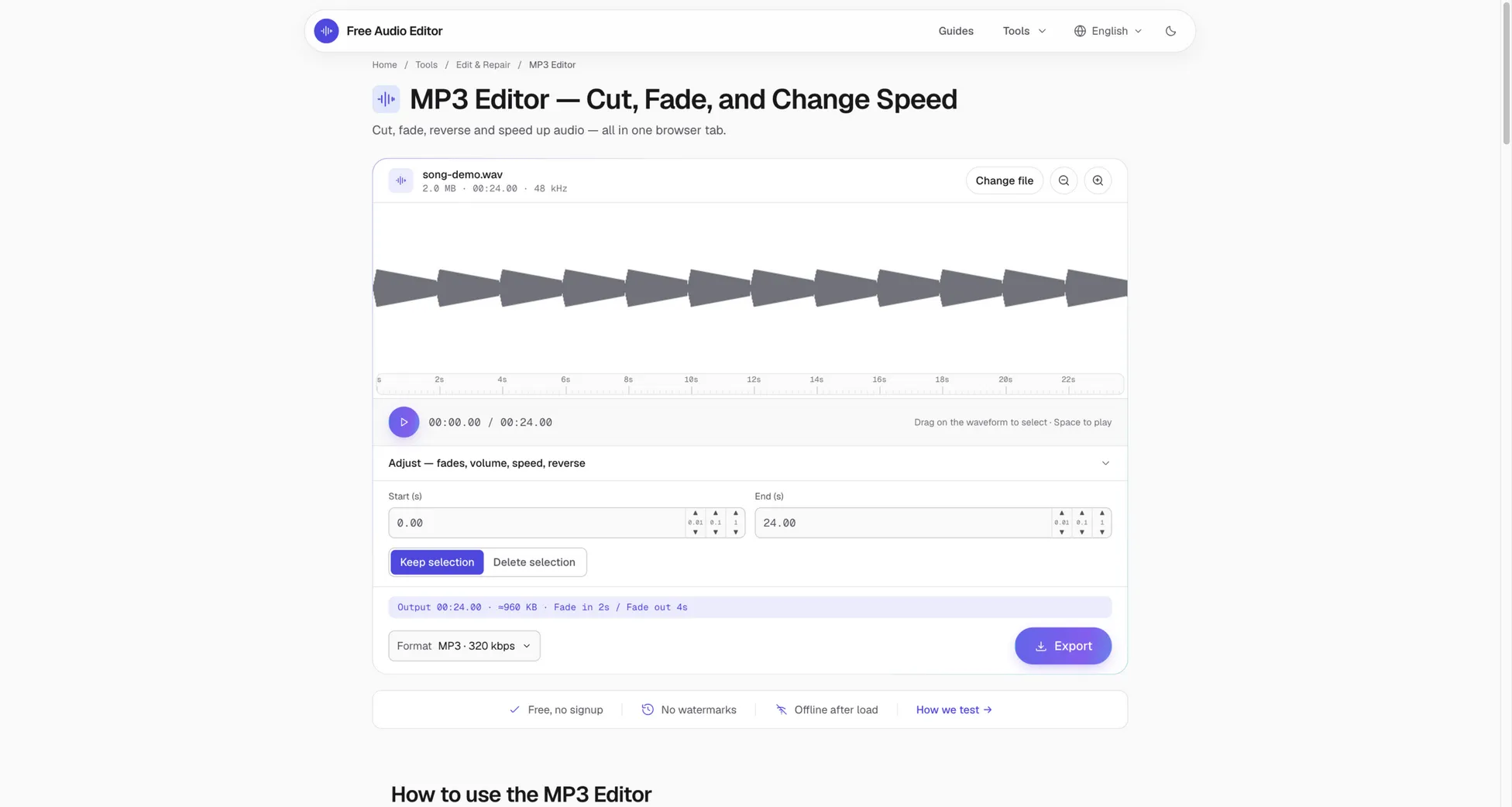
One file, one chain of edits, done today. Trim it, cut a chunk out of the middle, fade the ends, fix the loudness, export. A browser tool wins: the whole chain fits in one tab, and the complete walkthrough shows the five edits end to end. Voice memos, podcast answers, a song cut for a video — this is the shape.
Several files into one mix. Layering a voice over music used to mean a desktop app. Browser tools now do it too — up to a defined ceiling. The multi-track editor on this site stacks up to 8 files with per-track level, pan, and trim, and exports one mix:
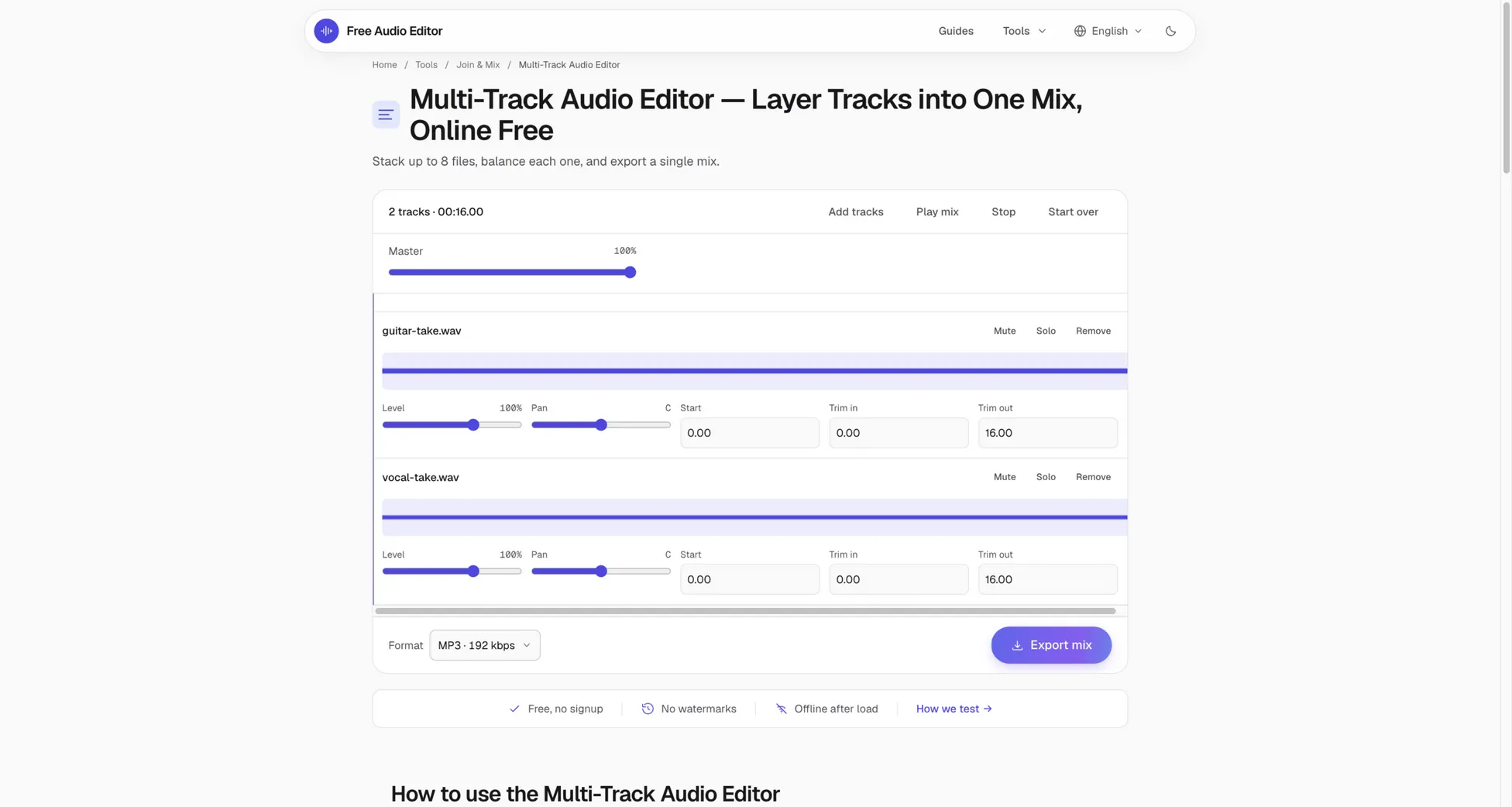
Eight balanced tracks cover vocals-over-beat, a two-person podcast with intro music, a demo layering. Beyond that — dozens of tracks, plugin effects, automation curves — is where a desktop DAW takes over.
A project you will reopen. Session state is the desktop app’s real product: track layout, edits, and settings saved as a project file. Browser tools export finished audio; they do not ask you to keep a workspace.
Private material. An unreleased track, a voice memo with personal content. The question is not “is the tool safe” but “where does the file go.” A page that processes in your tab never uploads; a server-side tool sends your audio to someone else’s disk. For private recordings, pick a tool that can prove the first case.
A computer you can’t install on. School and work laptops, a borrowed machine, a Chromebook. Online tools need only a browser — nothing to install and no admin rights.
What “safe” means for an online editor
Three checks, and they take a minute:
- Where does the file go? Look for the statement that processing runs locally — on this site, every tool page says “Processed locally — your file never leaves this tab” above the drop zone. If a page doesn’t state what happens to your file, that is the answer.
- Do you need an account? An account requirement usually means server-side processing and stored files.
- What does the export cost? Watermarks, length caps, and “upgrade to export” are the places a “free” tool stops being free.
Desktop safety has the same logic with different evidence: Audacity’s code is public, which is the strongest form of “you can check what it does.”
When a desktop app is the right call
Install Audacity when the work is a project: multi-track sessions you will reopen, plugin-based effects, heavy noise repair, anything longer than an hour where you want a real timeline. It is free, open source, and runs on Windows, macOS, and Linux. The install page offers a MuseHub bundle with extras; a plain “download without MuseHub” installer is right there beside it.
For the single-file jobs in this guide, it doesn’t need to. How each option compares in detail — Audacity vs online editors, GarageBand, and 123apps — is covered separately, honestly, with the same disclosure.
The 30-second version
File leaves your device or not, install or not, project or one-off, eight tracks or eighty. Answer those four and the “best” pick is obvious — and it is a different answer for a podcast cut than it is for an album mix, which is exactly why one ranked list can’t be right for both.
FAQ
What is the No. 1 free audio editing app?
There isn't a single one, and a ranked list can't answer it for you. The right choice follows the job: a one-file cut, fade, or volume fix is fastest in a browser tool; a multi-track project you will reopen needs a desktop app such as Audacity. Pick by where your file goes, whether you need tracks and plugins, and whether the work continues tomorrow — not by a brand's position on someone's list.
Is Audacity actually free?
Yes. Audacity's own site states it "has always been and will always remain free for everyone" and that the source code is open for anyone to view or modify. It runs on Windows, macOS, and Linux. Two things to know: the site offers an install through MuseHub with extras bundled, and a plain "download without MuseHub" installer is offered alongside it; and it is a desktop app, so it needs an install.
Are online audio editors safe to use?
The safe ones are the ones where you can find out what happens to the file. Check three things: whether the page states that processing runs in your browser with nothing uploaded, whether you must create an account, and whether exports carry watermarks or length caps. A page that decodes the file in your own tab never sends the audio anywhere — you can even disconnect from the internet after it loads and keep editing.
Can CapCut edit audio?
CapCut is a video editor, and its audio tools exist to serve the video timeline. That is the right shape when the sound lives inside a video project. For an audio file with no picture — a song, a voice memo, a podcast — a dedicated audio editor is simpler: the interface is built around the waveform, and the export is an audio format rather than a video container.
Sources
More hands-on walkthroughs in all guides.